
What Is a Medical Alert System and How Does It Work?
A Medical Alert system is a communication lifeline for people who may need urgent help while living alone. It usually includes a wearable pendant, wrist button, or mobile device. When pressed, the device connects the user with a trained response center, family member, caregiver, or emergency service. Some systems also detect falls automatically, though no sensor recognizes every fall correctly.
Dr. Joseph Coughlin, founder of the MIT AgeLab, has said, “Aging is not a disease.” That perspective matters here. A Medical Alert system should support independence, not label older adults as helpless. Imagine a person slipping beside the bathroom sink at night. A visible button can provide reassurance when reaching for a phone is impossible. Location tracking may help outside the home, while two-way voice communication allows the responder to assess the situation.
The technology sounds simple. Its reliability depends on details. Battery life, cellular coverage, waterproof design, and response procedures all matter. A system can fail if it is removed, forgotten, poorly charged, or misunderstood. That uncomfortable truth deserves attention.
Families should ask practical questions before choosing a service. Who answers the alert? How quickly do they respond? Can they contact specific relatives? Does the device work in the garden or during a power outage? These answers shape real-world safety more than attractive advertising.
A Medical Alert system is not a substitute for medical care or human connection. It is one layer of protection. Used thoughtfully, it can help people remain at home with greater confidence, while still recognizing its limits.
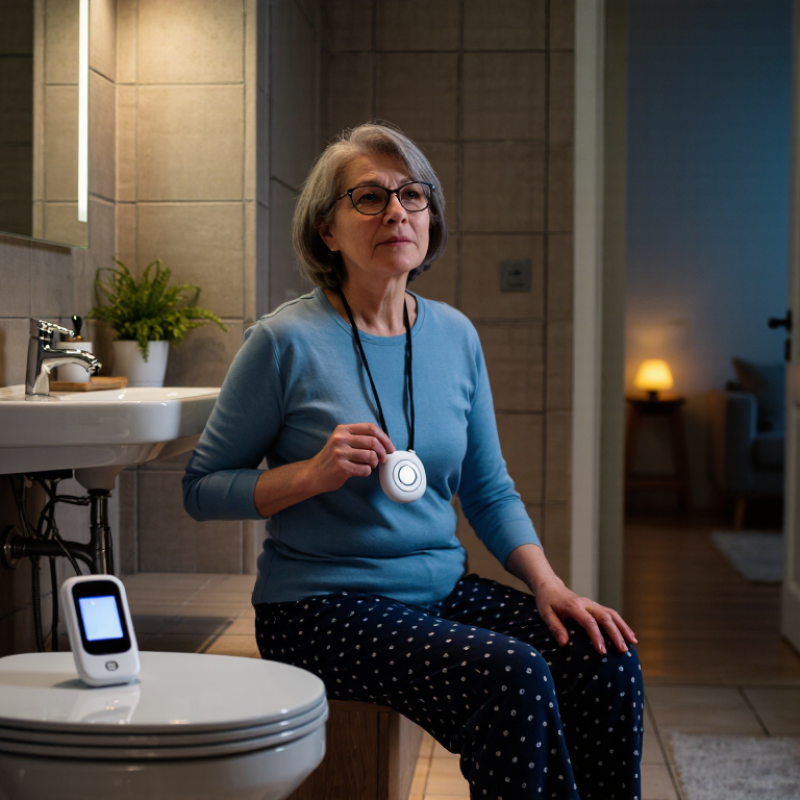
Table of Contents [Hide]
Medical Alert Systems Defined: Devices, Services, and Core Components
A medical alert system combines a wearable device, communication network, and trained response service. Common devices include pendants, wristbands, wall buttons, and mobile units with GPS. Pressing the button sends an alert to a response center. Some systems also detect hard falls automatically, although detection is not perfect.
The response center usually confirms the user’s condition through two-way voice communication. Operators may contact a family member, caregiver, or emergency service, based on the user’s care plan. Core components include the alert button, a base station or cellular connection, speaker and microphone, backup battery, and user profile. The U.S. Centers for Disease Control and Prevention reports that more than one in four adults aged 65 and older fall each year. That risk gives the system practical value, especially beside a bathroom floor or bedroom chair.
Service quality depends on coverage, battery maintenance, response training, and accurate personal information. The World Health Organization identifies falls as the second leading cause of unintentional injury deaths worldwide. Still, an alert system cannot prevent every fall. Automatic detection may miss a slow collapse, while a user may forget to wear the device. The National Council on Aging estimates that older-adult falls cost the United States over 50 billion dollars annually. These figures support investment, but they do not replace home safety checks, medication reviews, or human support. Reliable setup requires testing the device regularly and updating emergency contacts after life changes.
What Is a Medical Alert System and How Does It Work? - Medical Alert Systems Defined: Devices, Services, and Core Components
| Dimension | Definition or Function | Common Options or Specifications | Important Considerations |
|---|---|---|---|
| Medical alert system | A combination of emergency communication devices and response services designed to help a person request assistance. | At-home, mobile, landline-based, cellular, or internet-connected systems. | It supports emergency response but does not replace medical care, supervision, or professional diagnosis. |
| Help button | A wearable or mounted button that starts an emergency call when pressed. | Pendant, wristband, wall button, or integrated device control. | The button should be easy to reach and simple to activate, including during stress or limited mobility. |
| Base station | A central communication unit that receives the alert signal and connects the user with a response center or contact. | Two-way speaker, microphone, backup battery, and connection status indicators. | The unit should be placed where it can be heard and reached from commonly used areas. |
| Mobile device | A portable alert device that allows a user to request help away from home. | Cellular connectivity, built-in speaker and microphone, GPS or location support, and rechargeable battery. | Coverage depends on the available cellular network, device charge, and outdoor or indoor conditions. |
| Automatic fall detection | A sensor-based feature intended to identify patterns that may indicate a fall and send an alert. | Motion sensors, accelerometers, algorithms, and optional user confirmation. | It may not detect every fall, and false alerts can occur. Pressing the help button remains important when possible. |
| Response center | A staffed service that receives alerts, communicates with the user, assesses the situation, and contacts appropriate help. | Trained response personnel, two-way communication, emergency protocols, and contact records. | Response procedures and availability vary by service plan and region. |
| Emergency contacts | Family members, caregivers, neighbors, or other designated people who may be contacted after an alert. | Contact names, phone numbers, access instructions, medical information, and preferred communication order. | Information should be updated whenever a contact, address, medication, or access arrangement changes. |
| Two-way communication | Allows the user and responder to speak through the device without using a separate telephone. | Hands-free speakerphone, microphone, volume controls, and audio prompts. | Clear audio is especially important for users with hearing or speech limitations. |
| Location information | Data that can help responders identify the user’s approximate position. | GPS, Wi-Fi positioning, cellular location, or a registered home address. | Indoor accuracy can be limited, and location features may depend on device settings and network availability. |
| Power and connectivity | The electrical power and communication links required for the system to send and receive alerts. | Rechargeable or replaceable batteries, cellular networks, landline connections, Wi-Fi, and battery backup. | Users should test the system regularly and follow charging and battery-replacement instructions. |
| Typical alert process | The sequence from activating the device to receiving assistance. | Press button or trigger detection; signal is transmitted; responder answers; situation is assessed; help is contacted. | A user should remain near the device when safe and clearly explain the emergency to the responder. |
| Best-fit user considerations | Factors used to determine whether a system suits a person’s needs and environment. | Fall risk, mobility, living arrangement, travel habits, hearing ability, coverage, and comfort with technology. | The system should be easy to wear, maintain, test, and use during a real emergency. |
How Help Buttons Detect Emergencies and Send Signals
A medical alert system connects a person with emergency support through a wearable help button. The button may be worn around the neck or wrist. When pressed, it sends a signal to a base unit or mobile connection. The system then contacts a trained response center, family member, or emergency service.
Some devices use motion sensors to detect a hard fall. They may notice sudden movement, impact, and a person remaining still. However, automatic detection is not perfect. A slow slide or soft fall may not trigger an alert. After a signal arrives, an operator usually speaks through the device. They may ask, “Are you safe?” The system can also transmit the user’s location, medical notes, or emergency contacts, depending on its settings. A clear voice connection matters when the user cannot reach a phone.
Tips: Test the button monthly. Walk through your home and check signal coverage. Keep the device charged, especially overnight. Update emergency contacts after moving or changing medications. Make sure the operator can understand your voice from each room. False alarms can happen, and that is acceptable. A cancelled alert is safer than an ignored emergency. Do not rely on one device alone; regular check-ins and a clear response plan still matter.
How Monitoring Centers Verify Alerts and Contact Assistance 24/7
A medical alert system connects a person to a trained monitoring center through a wearable button, wall unit, or mobile device.
When pressed, the device sends an alert using a cellular or internet connection. The operator usually opens a two-way voice channel and asks simple questions: “Are you hurt?” “Can you speak?” “What is your location?”
The World Health Organization’s Falls Fact Sheet reports about 684,000 fatal falls worldwide each year, while many more require medical treatment. That risk makes reliable verification essential.
Monitoring centers operate around the clock. Operators confirm the signal, review the subscriber’s care profile, and assess the situation before contacting a listed caregiver, emergency service, or both. They may call back if the person cannot speak.
A silent alert is never automatically treated as harmless. The response should follow documented protocols, not guesswork.
Small details matter. Staff may verify a door code, apartment number, medical condition, and preferred hospital.
The CDC reports that over 3 million older adults receive emergency-department treatment for fall injuries annually in the United States.
Still, no system is perfect. A weak signal, background noise, or an outdated contact list can delay help. Regular device tests and honest profile updates remain necessary. Sometimes, the human check is the strongest safeguard.
Why Fall Detection Matters: CDC Reports 1 in 4 Older Adults Fall Yearly
What Is a Medical Alert System and How Does It Work?
Why Fall Detection Matters: CDC Reports 1 in 4 Older Adults Fall Yearly
A medical alert system helps an older adult request assistance after a fall, illness, or sudden emergency. Most systems include a wearable pendant, wrist device, or wall button. When activated, the device connects with a monitoring center, family contact, or emergency service. Some systems use cellular networks, while others rely on a home base unit and internet connection.
Fall detection is especially important because the CDC reports that one in four adults aged 65 and older falls each year. A fall may happen beside a bed, in a bathroom, or on a quiet staircase. If the person cannot reach a phone, automatic detection can send an alert after sensing a sudden impact and change in position. Help may arrive sooner.
The technology is useful, but it is not perfect. A soft fall, slow slide, or blocked signal may escape detection. That matters. Users should still press the help button whenever possible. During setup, check the device from different rooms and test the speaker volume. A monthly test can reveal a dead battery or weak connection. Caregivers should also discuss medical history, common walking hazards, and who should respond first. Even a careful plan can fail when routines change. That is why honest practice at home matters.
What Is a Medical Alert System and How Does It Work?
Why fall detection matters: According to the CDC, about 1 in 4 adults aged 65 and older report falling each year.
Medical alert systems can connect older adults to help through an emergency button, two-way voice communication, and optional automatic fall detection.
Choosing a System: Response Options, Costs, Coverage, and Privacy
A medical alert system connects a person with trained responders during a health emergency. The user may press a pendant, wrist button, or wall-mounted device. Some systems detect possible falls automatically, but they cannot identify every fall. Response options deserve careful attention. A monitoring center can contact emergency services, family members, or a chosen caregiver. Some devices use two-way voice communication. Others depend on a smartphone, which may be difficult during confusion or weakness.
Costs usually include equipment, activation, and monthly monitoring fees. Extra charges may apply for fall detection, cellular service, or replacement devices. Prices vary by location and contract terms. Ask whether cancellation fees exist. Insurance coverage is inconsistent. Public programs, private insurers, or care plans may cover part of the cost, but approval is never guaranteed. Written confirmation matters more than a sales promise.
Coverage also means signal coverage. A home-only unit may fail outside the house. A mobile device needs reliable cellular service in common travel areas. Test it near stairs, bathrooms, and the garden. Privacy requires equal care. Read how the provider stores voice recordings, location data, and emergency contacts. Check encryption, data retention, and permission settings. Limit access to people who genuinely need it. No system is perfect. I would review its response speed and false-alarm process every few months, because real routines change.
